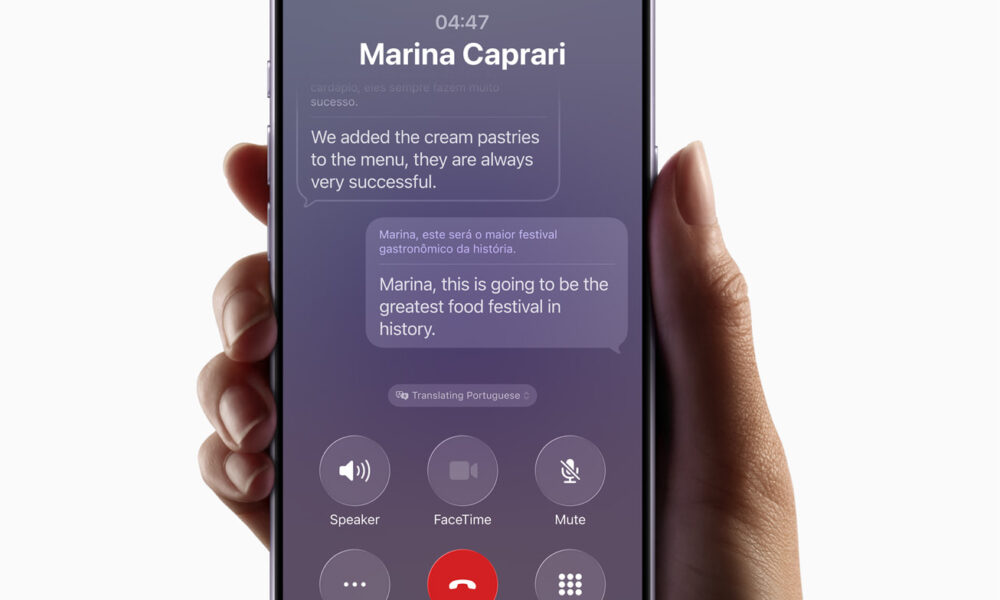
Apple just rolled out a major set of Apple Intelligence features today, embedded deeply into iPhone, iPad, Mac, Apple Watch, and Vision Pro with the launch of iOS 26, iPadOS 26, macOS Tahoe 26, watchOS 26, and visionOS 26. Live Translation, enhanced Visual Intelligence, Genmoji & Image Playground updates, and smarter Shortcuts are now available – many of them running directly on device to protect user privacy.
One headline feature is Live Translation, which lets users translate conversations in Messages, FaceTime, or over the phone in real time. AirPods support in-person conversations; gesture controls and Action Button shortcuts make it easy. The system also preserves privacy via on-device processing for most operations; more languages will be added this year.
The Visual Intelligence updates let users search, highlight, translate, or act on screen content across apps. For example, tap to search an image, extract text from flyers, add events from receipts, or explore similar items via apps like Etsy, eBay, etc. These tools aim to make reading and interacting with content more seamless.
For creative expression, Genmoji and Image Playground gain new style options. Users can mix emoji with descriptions, adjust expressions or appearance of contacts, and generate images in styles like oil painting, watercolor, and more via ChatGPT-powered prompts.
There’s also a new Workout Buddy feature that delivers personalized, spoken fitness motivation based on users’ activity history, pace, heart rate, and milestones. It uses generative voice modeled after Fitness+ trainers, with privacy protections in place.
Shortcuts also get smarter: Apple Intelligence models can now be used in workflows to automate complex tasks—summarizing documents, comparing transcriptions, extracting PDF data—and developers can build intelligent, privacy-protected features using the on-device foundational model. Apple
Developers can already use Apple Intelligence within third-party apps, offline or using Private Cloud Compute, in privacy-centred ways. Apps like CARROT Weather, Streaks, Detail: AI Video Editor and more are integrating these features. To see them, users need compatible Apple Intelligence devices and the latest OS updates. Region and language availability depends on model and update version.
Disclaimer
This article is informational only and not investment or purchasing advice. Features, availability, and support vary by device, region, and OS version. Always verify requirements on Apple’s official site.